
Imginn | Anonymous Instagram Story Viewer and Downloader
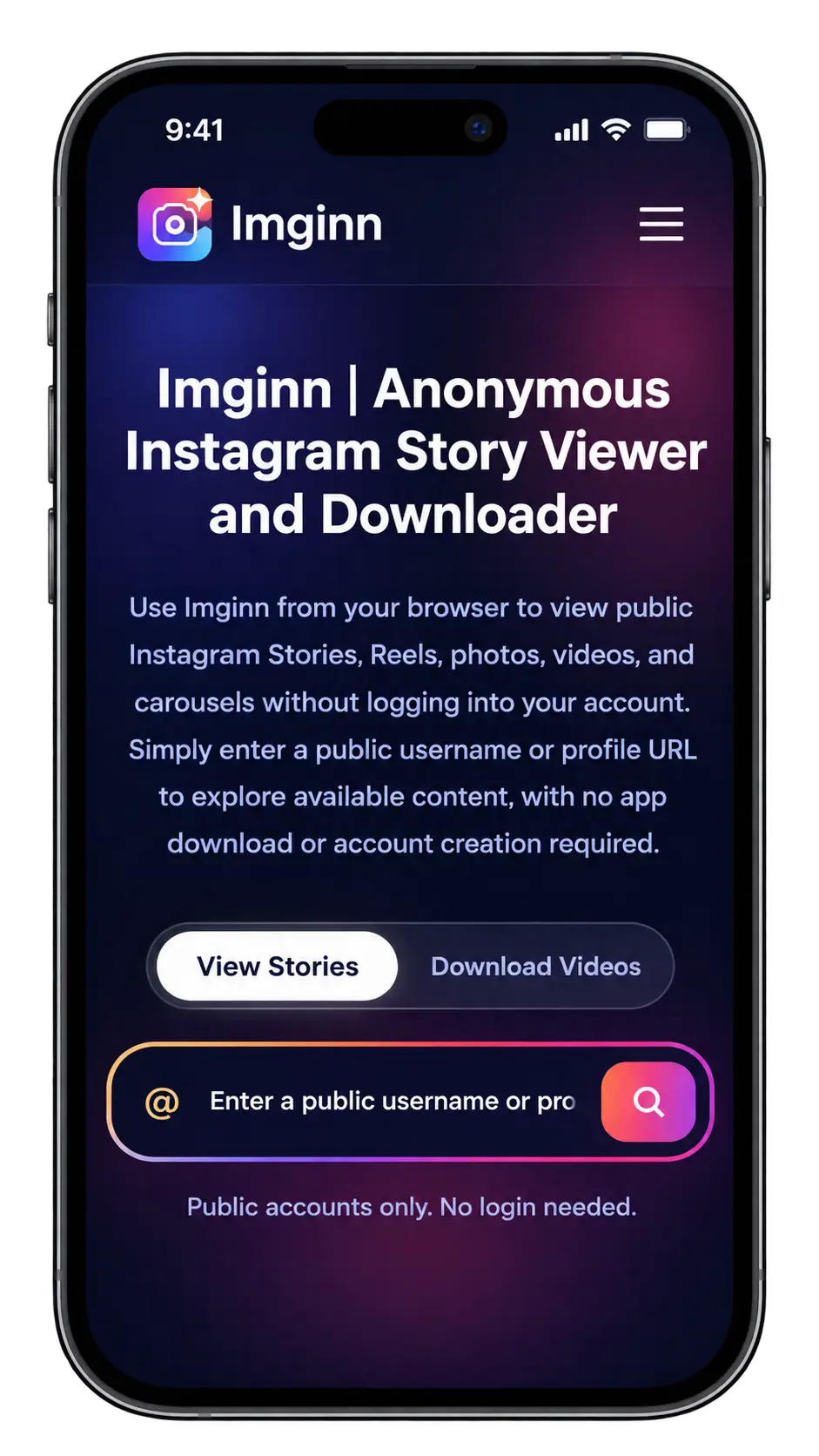
Use Imginn from your browser to view public Instagram Stories, Reels, photos, videos, and carousels without logging into your account. Simply enter a public username or profile URL to explore available content, with no app download or account creation required.
Public accounts only. No login needed.
Instagram is packed with Stories, Reels, photos, videos, and public profiles, but the platform does not always give you the flexibility to browse or save content the way you want. Imginn can be useful when you want a simple browser-based way to explore public Instagram content without logging into your account. However, there are some important limitations to understand before using any third-party Instagram viewer.
What Is Imginn?
Imginn is a web-based online Instagram viewer and media downloader. It is not a replacement for Instagram and does not provide access to private Instagram accounts.
This tool help you for viewing or downloading:
- Instagram Stories
- Reels
- Photos
- Videos
- Profile pictures
- Public profile content
You don’t need to install an app or sign in on Instagram just to search for publicly available content.
How Does Imginn Work?
This tool shows Instagram public accounts. You can search for a public username and view available posts or Stories through its interface.
How it works:
We do not make private Instagram information public. We provide only public instagram profile data.
What Can You View and Download in it?
The exact tools available can vary between different Imginn-style websites, but the service is mainly focused on common Instagram media formats.
Instagram Stories
You can search any public profile and view their Stories without opening your Instagram account.
If you want to download their story, just click on Download button.
Instagram Reels
Instagram now allows you to download any public Reels. However, Instagram’s have built-in Reel downloading has several restrictions. You can download instagram reel on our webiste without any wateramark.
Instagram Photos
This tool allows you to open publicly available Instagram photos in a browser and download them directly to your device. This can be useful when you want to save public content for offline viewing or personal reference.
Profile Pictures
Instagram profile pictures show small inside the official interface.
In our imginn app/online tool you can share username or profile link to see their profile picture in large form. And also you can download it and save it for offline view.
Key Features
This has become popular largely because it removes several steps required when browsing through the Instagram app.
No Login Required
You normally do not need to enter your Instagram username or password to search for public content. This is helpful for those people who do not have an Instagram account or do not want to log in to view a public profile.
Anonymous Story Viewing
You can view any public account and their story anonymously without showing, who can view their stroy.
For many users, this is the main reason for using this tool.
Browser-Based Access
This tool works through a website, which means there is usually no need to install a separate application. You can access it from anywhere and use a phone, tablet, Windows computer, Mac, or another device with a compatible browser.
Multiple Instagram Content Types
Instead of using multiples tools for Stories, Reels, photos, videos, and profile pictures, you cna all these in one plaeform and which named is Imginn.
Simple Search Process
This process is simple and easy. You can open our website, and simply paste username and you can get all the details you want.
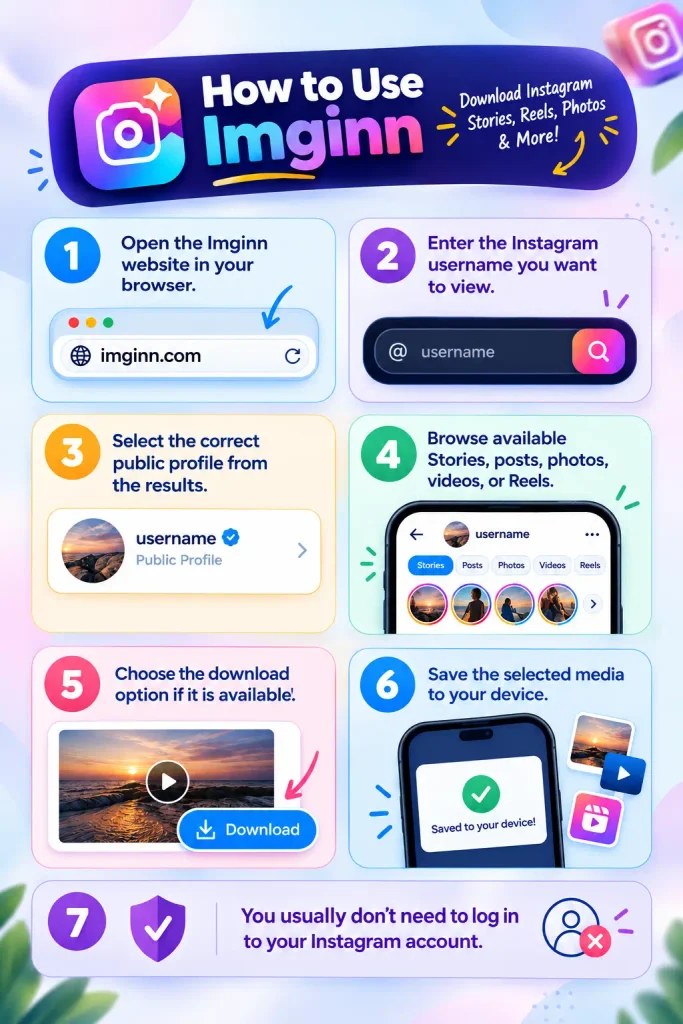
How to Use Imginn
You can simply use this using these following steps:
Difference B/W Imginn vs Instagram’s
Feature | Imginn | Instagram Built-In Download |
|---|---|---|
Access Method | Browser-based third-party tool | Instagram app |
Instagram Login | Usually not required | Required |
Public Reels | Can view available public content | Can download eligible public Reels |
Download Option | Available for supported media | Available when the creator allows downloads |
Watermark | May depend on the tool and media | Downloaded Reels may include an Instagram watermark |
Creator Username | Depends on the downloaded file | Usually shown with the Instagram watermark |
Creator Control | Depends on the third-party service | Creator can allow or disable Reel downloads |
Audio | Depends on the available media | Some audio may be unavailable due to licensing |
Account Restrictions | Depends on public profile availability | Can vary based on account settings and user eligibility |
App Installation | No app required | Requires Instagram app |
Multiple Media Types | Stories, Reels, photos, videos, and other public content | Mainly content supported by Instagram’s native download options |
Best For | Browsing and accessing available public media through a browser | Downloading eligible Reels directly within Instagram |
Is it Safe to Use?
It can be useful for viewing public Instagram content, but you should still be careful. Never enter your Instagram password, avoid suspicious ads or downloads, and use the official Imginn website. Since it is a third-party service, remember that it is not operated by Instagram. Also check Imginn Alternatives.
Conclusion
Imginn is a simple online tool to view public Instagram content without logging in. It can be used for Stories, Reels, photos, videos, and profile pictures. However, it cannot access private Instagram accounts, and anonymous viewing does not mean you are completely anonymous online. If you only want to browse public Instagram content without signing in, this can be the best option.